Every ticket in one place, ready to scan.
Boarding passes, train tickets, museum entries and concert passes: forward the email or add the file, and Wayfarer finds the code, redraws it sharp and puts it on the right trip.
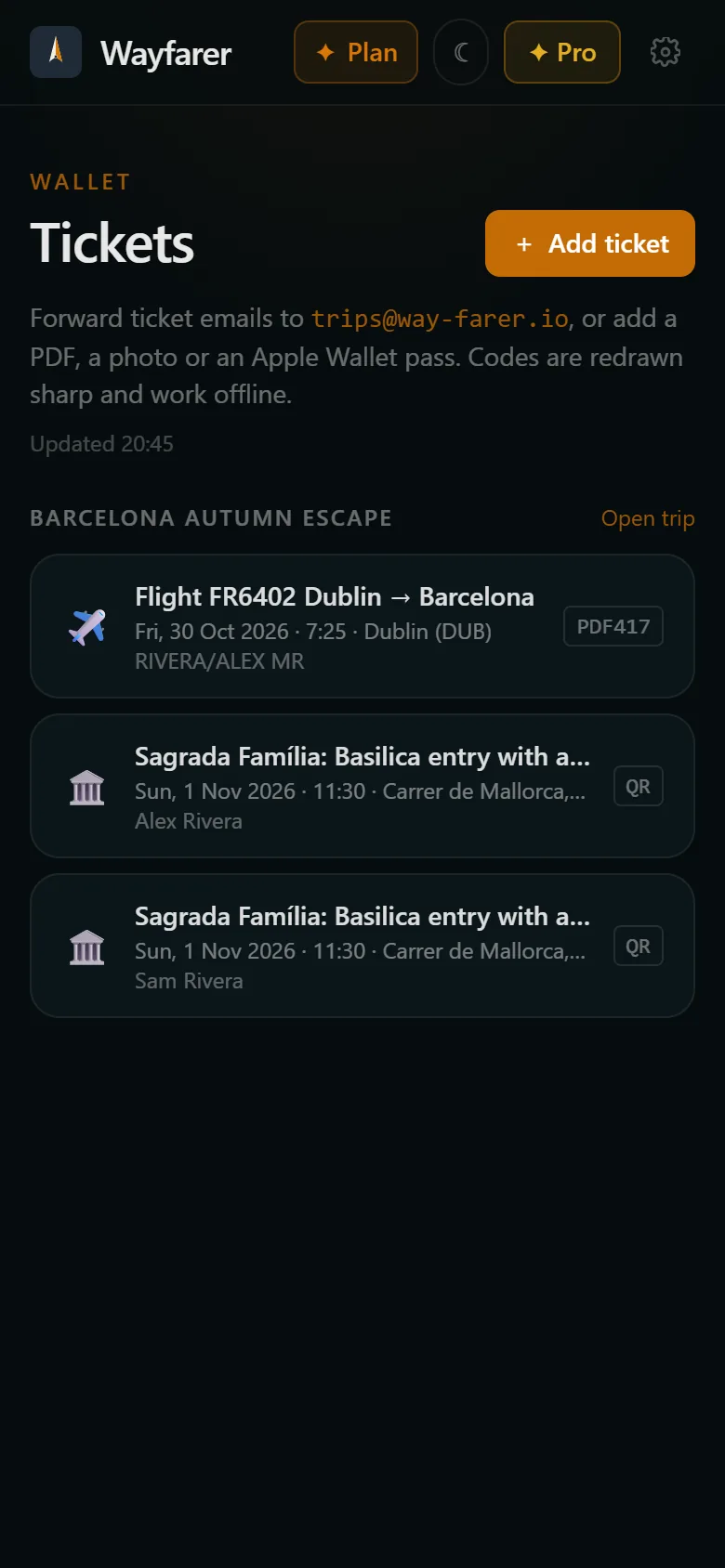
No more digging through email at the gate
Tickets arrive however the seller likes: a PDF attached to an email, a code in the message, a Wallet pass, a screenshot from a friend. On the day you're scrolling your inbox in a queue, zooming in on a blurry code with the brightness turned up. Wayfarer collects them as they arrive. It finds the code in whatever you send, redraws it clean and sharp, and files it with the booking it belongs to, so the boarding pass is on the flight and the museum ticket is on the museum visit.
How it works
- 01
Forward it or add it
Forward the email your tickets came in, or add a PDF, a screenshot or an Apple Wallet pass. On Android you can share a ticket straight from another app.
- 02
Wayfarer reads it
It finds every code in the file (QR, Aztec, PDF417 or barcode), reads who it's for, the date and the seat, and splits a PDF of several tickets into one each.
- 03
Scan it at the gate
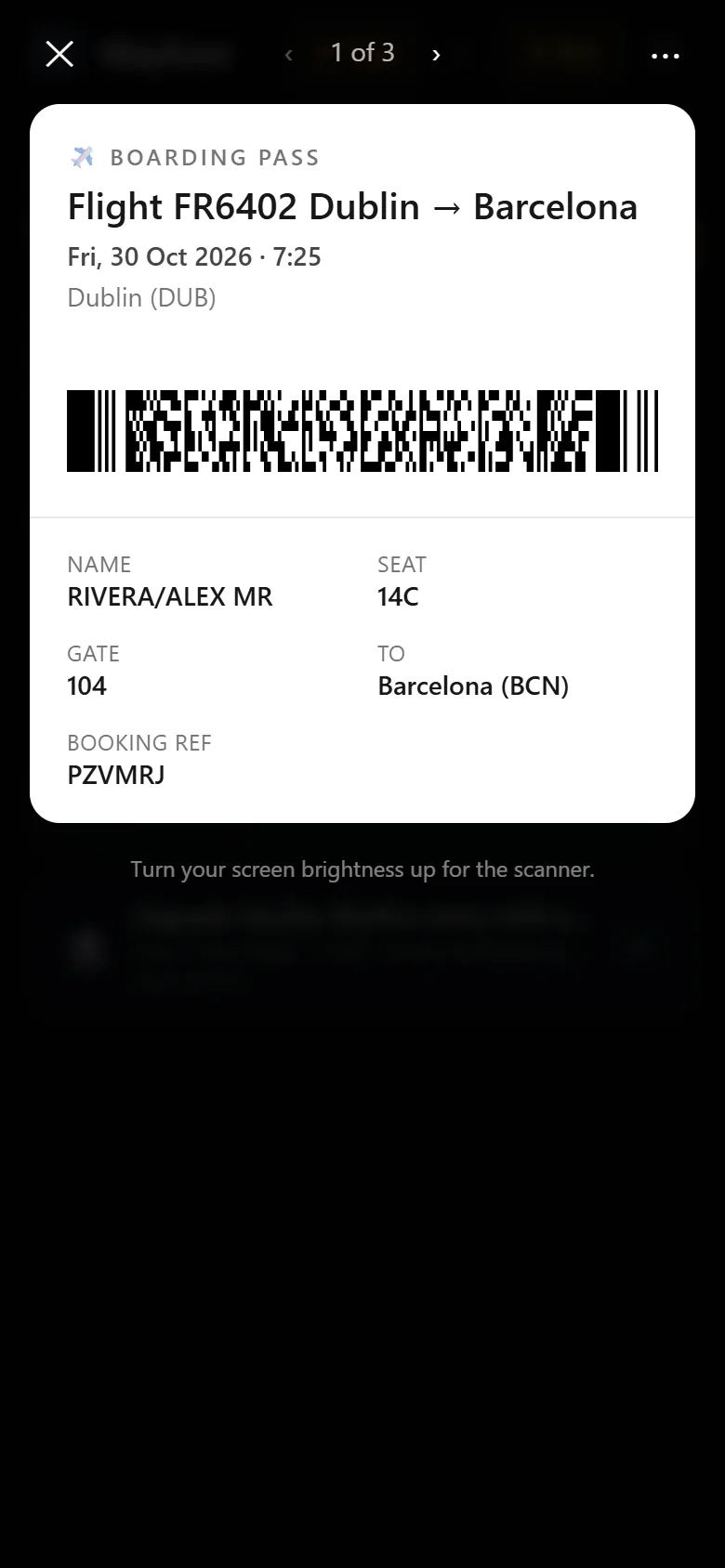
Open the ticket and the code fills the screen, redrawn sharp so scanners read it first time.
Filed under the right trip
Tickets match themselves to your trip and to the booking they're for, so your boarding pass sits right on the flight.
Works with no signal
Tickets are saved on your phone, so they open at the gate in airplane mode.
Reminders before you fly
Turn on notifications and Wayfarer nudges you to check in when it's time, then puts your boarding pass a tap away before boarding.
Kept private
Your ticket files are kept in private storage that only your account can open.
More than flights
Museum entries, train tickets, ferries, concerts and Apple Wallet passes all go in the same wallet. A document with no code at all, like a booking voucher, is kept with your trip too.
The whole group together
A PDF with tickets for four people becomes four tickets. Open one and step through to the next at the gate, each with the right name and seat.
Questions
- Can I add tickets to Apple Wallet or Google Wallet?
- Not yet. Wayfarer reads Apple Wallet passes you add to it, and adding tickets to Apple and Google Wallet is planned.
- What if my ticket is only a screenshot?
- That works. Add the image and Wayfarer finds the code and redraws it.
- Is the ticket wallet free?
- Yes. It's part of the free plan.
- Can I share a ticket with the people I'm travelling with?
- Not yet. For now each person adds their own tickets to their own account. Sharing tickets with companions is planned.
- What happens to the original file?
- It's kept alongside the redrawn code, so if a venue wants to see the ticket exactly as it was issued, you can open the original.
More from Wayfarer
See all features →Email import
Forward any confirmation and your itinerary builds itself.
AI co-pilot
Suggestions that fit your actual itinerary, added in one tap.
Walking tours & runs
Self-guided tours and running routes from your door, with audio.
Works offline
Trips, tickets and tour audio kept on your phone.
Instagram saves
Share a reel and its places land on a map, ready for your trip.