Forward a booking email. Get the whole itinerary.
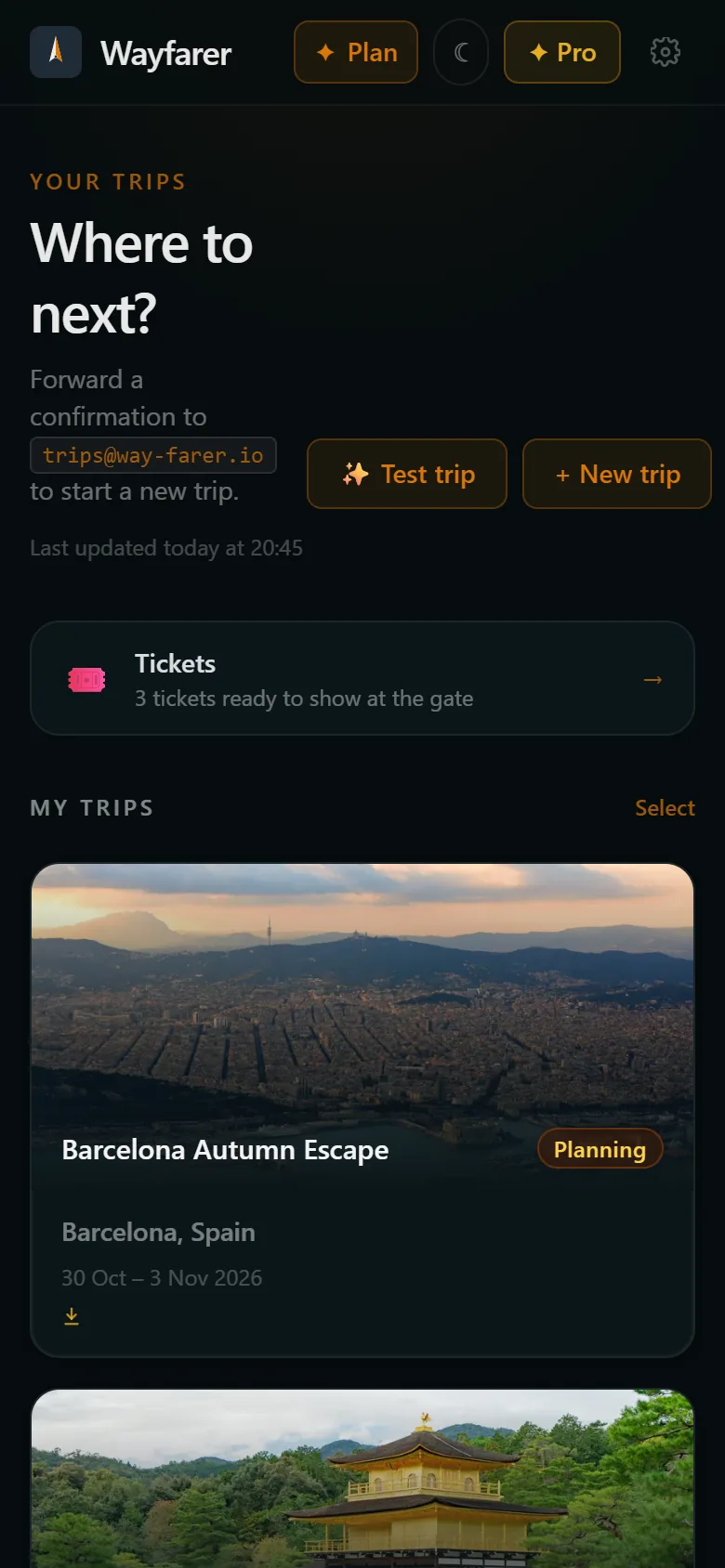
Flights, hotels, car hire, trains and tickets: forward the confirmation to trips@way-farer.io and Wayfarer reads it, pulls out every detail and puts it on the right day of the right trip.
A trip arrives as a pile of emails
A flight from one airline, a hotel from a booking site, a car from somewhere else, a tour your friend booked. The usual answer is a spreadsheet, a notes app, or scrolling your inbox at the check-in desk. Wayfarer replaces that with one forwarding address. Each confirmation you send becomes an item on the right day, in local time, with its address and reference a tap away. By the time you travel the whole trip is in one place, and everyone you're going with sees the same plan.
How it works
- 01
Book the way you always do
Any airline, hotel, car hire company or booking site. There's nothing to connect and no inbox access to give.
- 02
Forward the confirmation
Send it to trips@way-farer.io from the email address on your account. Attachments come with it: PDFs, calendar files and e-tickets.
- 03
It lands on your trip
Wayfarer works out which trip it belongs to, or starts a new one, and adds each booking to the right day with its times, address and booking reference.
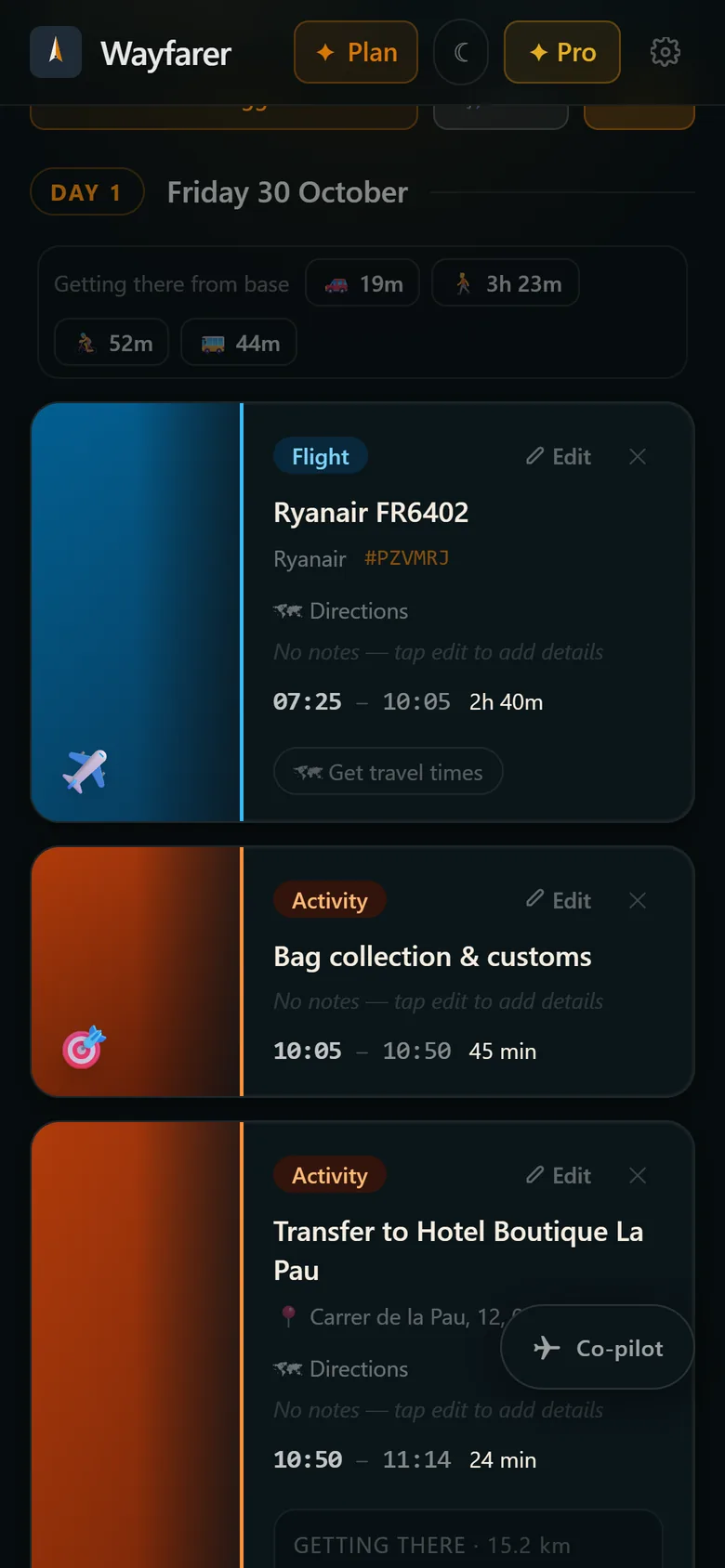
Every detail, no typing
Flight numbers and times, hotel check-in and check-out, pick-up points, addresses and booking references. Wayfarer reads the email the way you would, so it copes with small local companies as well as the big booking sites.
Your days, in order
Bookings are laid out day by day in the local time of where you're going, with how long it takes to get between stops and back to your hotel by car, public transport or on foot.
Tickets go straight to your wallet
Boarding passes and e-tickets attached to the email are saved to your ticket wallet with their codes redrawn sharp, ready to scan, even offline.
Travelling together
Invite the people you're travelling with. Anything one of you forwards, adds or changes shows up for everyone straight away.
Getting there, worked out
Land in a new city and Wayfarer has the next step ready: time for bags and passport control, then the way to your hotel with a taxi estimate, public transport and a link to open the ride in Uber.
No mess when plans change
Forwarded the same booking twice, or ended up with two trips for one holiday? Wayfarer flags the duplicates for you to clear and can merge trips into one, keeping every booking, checklist and conversation.
Questions
- Do I have to give Wayfarer access to my inbox?
- No. Wayfarer only sees the emails you choose to forward to it. There's no inbox connection and nothing to revoke.
- Which bookings does it understand?
- Flights, hotels, car hire, trains, cruises, events, tours and restaurant reservations. It reads the email itself rather than relying on a list of supported companies.
- Can I forward from my work email?
- Yes. Add the address in Settings and confirm it from the email we send. The free plan includes one extra address; Premium includes more.
- What does Wayfarer do with my booking emails?
- It reads them to build your itinerary, and that's all. Your bookings aren't used for advertising or sold to anyone, and deleting a trip or your account deletes them.
- What if something is read wrong?
- Every item can be edited: tap it to change the time, the place or the details, or remove it.
More from Wayfarer
See all features →AI co-pilot
Suggestions that fit your actual itinerary, added in one tap.
Walking tours & runs
Self-guided tours and running routes from your door, with audio.
Works offline
Trips, tickets and tour audio kept on your phone.
Ticket wallet
Boarding passes and e-tickets, redrawn sharp and kept offline.
Instagram saves
Share a reel and its places land on a map, ready for your trip.